Onboard servers to Azure Arc without the guesswork.
Step-by-step checklists and scripts for Windows and Linux servers — prerequisites, network checks, onboarding and verification, in the order you actually hit them.
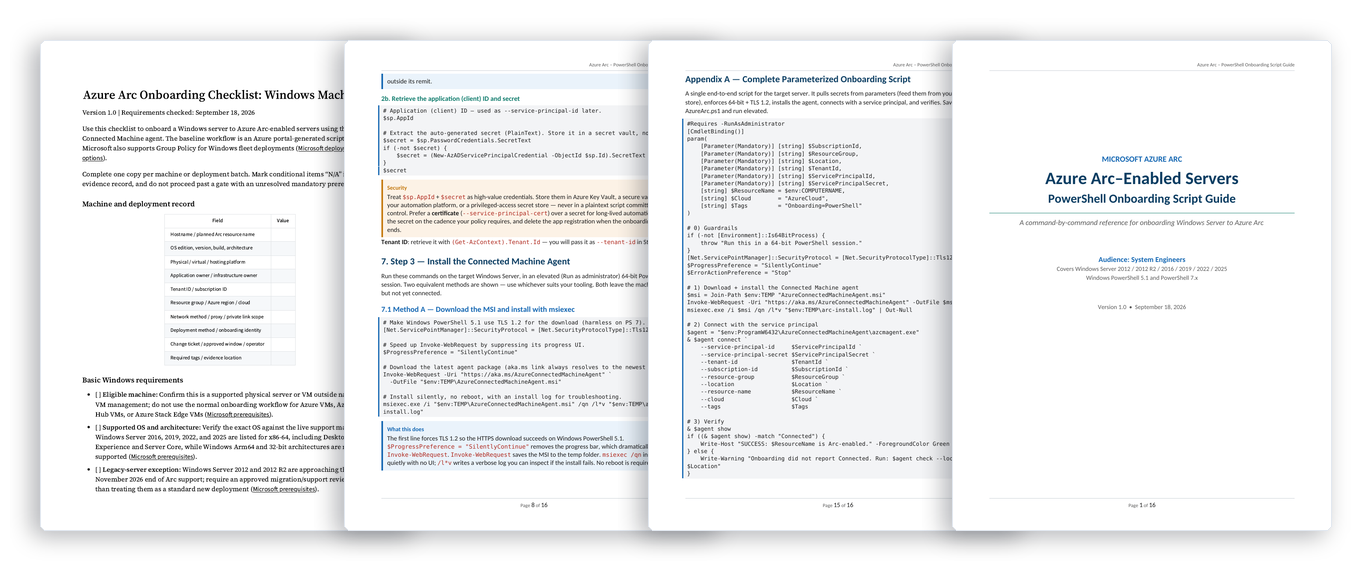
The docs tell you what Azure Arc is. This tells you how to roll it out.
Onboarding a handful of servers is easy. Onboarding a real fleet — mixed OS versions, proxies, firewalls, change windows — is where projects stall. This pack is the runbook built from doing it.
| Doing it from scratch | With the Arc Pack |
|---|---|
| Hunting through docs for prerequisites and endpoints | One pre-flight checklist per OS, in execution order |
| Agent installs that fail on proxies and firewalls | Network and connectivity checks before you touch a server |
| Hand-typed onboarding, server by server | Ready-to-adapt scripts for Windows and Linux |
| “Is it actually working?” | Post-onboarding verification steps you can hand to a change board |
What’s included
- Windows Server onboarding checklist
- Linux onboarding checklist
- Onboarding scripts for Windows (PowerShell) and Linux
- Pre-flight network and prerequisite checks
- Post-onboarding verification steps
- Written at systems-engineer level — no fluff, no marketing
One-time price. Yours to keep.
Azure Arc Onboarding Pack
- Windows and Linux checklists
- Onboarding scripts
- Verification runbook
Secure checkout and instant delivery via Gumroad. All sales final.
FAQ
Can I get a refund?
All sales are final. This is a digital download delivered instantly, so we can’t offer refunds — email opstacks@outlook.com with any questions before you buy.
Can I use it at work or for clients?
Yes — use the checklists and scripts within your organization or on client engagements. You may not resell or redistribute the pack itself.
What format is it in?
Checklists are provided as documents you can print or adapt; scripts are plain PowerShell and shell files you can review before running.
Does it work for Linux?
Yes. The pack includes a dedicated Linux onboarding checklist alongside the Windows Server one.